document
Get the window.document of the page that is currently active.
Syntax
cy.document()
cy.document(options)
Usage
Correct Usage
cy.document() // yield the window.document object
Arguments
options (Object)
Pass in an options object to change the default behavior of cy.document().
| Option | Default | Description |
|---|---|---|
log | true | Displays the command in the Command log |
timeout | defaultCommandTimeout | Time to wait for cy.document() to resolve before timing out |
Yields
cy.document()yields thewindow.documentobject of the application under test.cy.document()is a query, and it is safe to chain further commands.
Examples
No Args
Get the document and work with it
- End-to-End Test
- Component Test
cy.visit('http://localhost:8080/app')
cy.document().then((doc) => {
  // doc is the document of the application under test
})
cy.mount(<MyComponent />)
cy.document().then((doc) => {
  // doc is the document of the application under test
})
Make an assertion about the document
cy.document().its('contentType').should('eq', 'text/html')
Wait for the page to finish loading
cy.document() retries until its chained assertions pass, so you can wait for
the document's readyState before moving on:
cy.visit('/dashboard')
cy.document().its('readyState').should('eq', 'complete')
Document properties and elements in the document
Use cy.document() for properties of the document itself, and
cy.get() for elements inside it, including elements in
the <head>:
// properties of the document
cy.document().its('documentElement.lang').should('eq', 'en')
cy.document().its('characterSet').should('eq', 'UTF-8')

// elements inside the document
cy.get('head meta[name="description"]').should('have.attr', 'content')
Trigger a document-level event
Global keyboard shortcuts and "close on Escape" handlers often listen on
document rather than on an element. .trigger()
accepts the document as its subject:
cy.get('[data-cy="modal"]').should('be.visible')
cy.document().trigger('keydown', { key: 'Escape' })
cy.get('[data-cy="modal"]').should('not.exist')
Spy on a document API
Reach into the document to spy on the APIs your application calls. This test confirms that changing a color input sets a CSS custom property on the root element:
cy.document()
  .its('documentElement.style')
  .then((style) => {
    cy.spy(style, 'setProperty').as('setColor')
  })

cy.get('input[type=color]').invoke('val', '#ff0000').trigger('change')

cy.get('@setColor').should(
  'have.been.calledWith',
  Cypress.sinon.match.string,
  '#ff0000'
)
Cypress.sinon walks through this example in more
detail.
Notes
Cross-origin documents
cy.document() reads the document of the application under test, so it
requires the application to be on the origin the test is running against. If
the application has navigated to a different origin, cy.document() fails
right away with an error naming both origins. Wrap the command in
cy.origin() to run it against the other origin:
cy.origin('https://other-origin.example.com', () => {
  cy.document().its('contentType').should('eq', 'text/html')
})
Rules
Requirements
cy.document()requires being chained off ofcy.
Assertions
cy.document()automatically retries until all chained assertions have passed.
Timeouts
cy.document()can time out waiting for the application's document to be available.cy.document()can time out waiting for assertions you've added to pass.
Command Log
Get the document
cy.document()
The command above will display in the Command Log as:

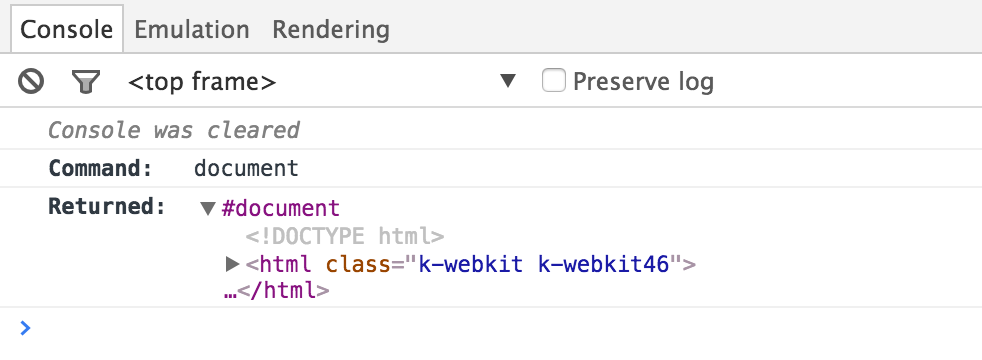
When clicking on document within the command log, the console outputs the
following:
History
| Version | Changes |
|---|---|
| 14.0.0 | cy.document() errors when used outside cy.origin() after the application navigates to another origin |
| 8.3.1 | cy.document() typings accept the timeout option |
| 0.11.6 | cy.document() logs to the Command Log and verifies upcoming assertions |
| 0.6.14 | cy.document() yields the raw document object instead of a jQuery-wrapped one |