blur
Blur a focused element.
It is unsafe to
chain further commands that rely on the subject after .blur().
This element must currently be in focus. If you want to ensure an element is
focused before blurring, try using .focus() before
.blur().
cy.get('button').as('btn').focus()
cy.get('@btn').blur()
Syntax
.blur()
.blur(options)
Usage
Correct Usage
cy.get('[type="email"]').blur() // Blur email input
cy.get('[tabindex="1"]').blur() // Blur el with tabindex
cy.window().blur() // Blur the window
Incorrect Usage
cy.blur('input') // Errors, cannot be chained off 'cy'
cy.get('li').blur() // Errors, subject contains more than one element
Arguments
options (Object)
Pass in an options object to change the default behavior of .blur.
| Option | Default | Description |
|---|---|---|
log | true | Displays the command in the Command log |
force | false | Forces the action, disables checking if element is focused |
timeout | defaultCommandTimeout | Time to wait for .blur() to resolve before timing out |
Yields
.blur()yields the same subject it was given.- It is unsafe
to chain further commands that rely on the subject after
.blur().
Examples
No Args
Blur the comment input
cy.get('[name="comment"]').type('Nice Product!')
cy.get('[name="comment"]').blur()
Options
Blur the first input
Setting force to true in the options disables checking whether the input
currently has focus.
cy.get('input:first').blur({ force: true })
Notes
Actionability
Blur is not an action command
.blur() is not implemented like other action commands, and does not follow the
same rules of
waiting for actionability.
.blur() is a helpful command used as a shortcut. Normally there's no way for a
user to "blur" an element. Typically the user would have to perform another
action like clicking or tabbing to a different element. Needing to perform a
separate action like this is very indirect.
Therefore it's often much more efficient to test the blur behavior directly with
.blur().
Subjects
Blurring the window leaves the focused element alone
.blur() accepts the window as its subject, so cy.window().blur() fires a
blur event on the window. Focus itself does not move: whichever element held
it still does, and document.activeElement is unchanged.
Timeouts
.blur() can time out because your browser did not receive any blur events
If you see this error, you may want to ensure that the main browser window is currently focused. This means not being focused in debugger or any other window when the command is run.
Internally Cypress does account for this, and will polyfill the blur events when necessary to replicate what the browser does. Unfortunately the browser will still behave differently when not in focus - for instance it may throttle async events. Your best bet here is to keep Cypress focused when working on a test.
Rules
Requirements
.blur()requires being chained off a command that yields a DOM element or the window..blur()requires the subject to contain a single element..blur()requires the element to currently have focus. The window and thebodyare exempt, since neither reports as the focused element.
Assertions
.blur()will automatically wait for assertions you have chained to pass.
Timeouts
.blur()can time out waiting for assertions you've added to pass.
Command Log
Blur a textarea after typing.
cy.get('[name="comment"]').focus()
cy.get('[name="comment"]').type('Nice Product!')
cy.get('[name="comment"]').blur()
The commands above will display in the Command Log as:

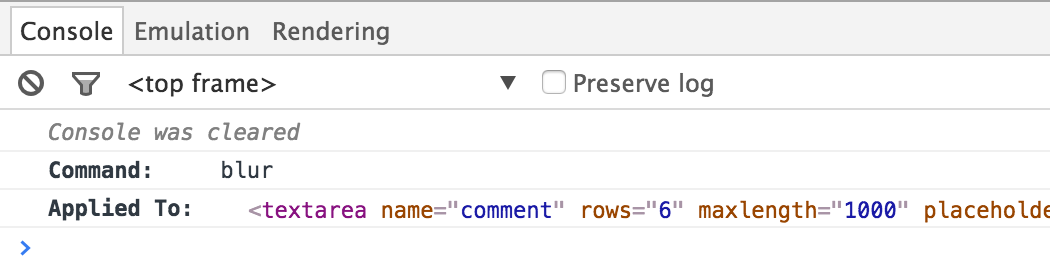
When clicking on the blur command within the command log, the console outputs
the following: