Scale your testing with confidence on every release
Cypress Cloud is the companion service to the open-source Cypress app, and the place your team manages the quality of its tests and your application. Cypress Cloud shows how reliable your tests and app are over time, and orchestrates runs so feedback stays fast as your suite grows. You keep writing tests the same way you do today. Cypress Cloud gives your team one place to debug failures, track quality trends, and decide whether a release is ready to ship.
Sign up ➜ See a demo Explore an example projectCosts and risks Cypress Cloud helps you reduce
Most of the value of Cypress Cloud is the time, money, and risk it removes from running tests in CI:
- Slow feedback and rising CI spend: Smart Orchestration runs specs across multiple machines and balances the load, Spec Prioritization runs recently failed specs first, and Auto Cancellation stops a run once it has already failed, so each pipeline uses less time and compute.
- Flaky tests that erode trust in the suite: Flaky Test Management surfaces unreliable tests before your team starts ignoring real failures.
- Slow debugging of failures you cannot reproduce locally: Test Replay reproduces the exact run with full debug capability, so triage does not depend on guesswork.
- Regressions reaching your main branch: status checks from the GitHub, GitLab, and Bitbucket integrations block failing code from merging.
- Blind spots in quality over time: analytics track test health at the project and organization level, so you can see when reliability or speed starts to slip.
Want a rough dollar figure for your own team? The Cypress Cloud Savings Calculator estimates the annual time and money you could save from Smart Orchestration, Test Replay, flake detection, and more, based on your team size, run frequency, and suite size.
Benefits
Cypress Cloud brings test results, analytics, orchestration, and integrations together in one platform. With it, you can:
- View and debug past test results from your CI environment.
- Analyze and diagnose test health.
- Reduce test time and CI costs by orchestrating future runs across multiple machines.
- Integrate with the developer tools you already use to streamline your workflows.
- Connect the Cypress app to Cypress Cloud to view CI runs and test health without leaving the app.
- Configure Cypress Cloud the way your team works and enable enterprise single sign-on.
- Use AI at Cypress for test authoring (Studio AI, cy.prompt()), test analysis (Test Intent and Error Summaries), and UI Coverage test generation.
- Add premium solutions like UI Coverage and Cypress Accessibility for new insights into test and application quality, with no code, setup, or impact on your test runs.
View and debug past test results
Each test run is stored in Cypress Cloud, where you can see past results and the current state of your app on the Latest Runs page.
Replay the test exactly as it ran during the recorded run, with full debug capability, using  Test Replay.
You can also view each test's command logs, screenshots, video replays, stack traces, and CI logs. Pinpointing a CI test failure takes a single click.
Analyze and diagnose test health
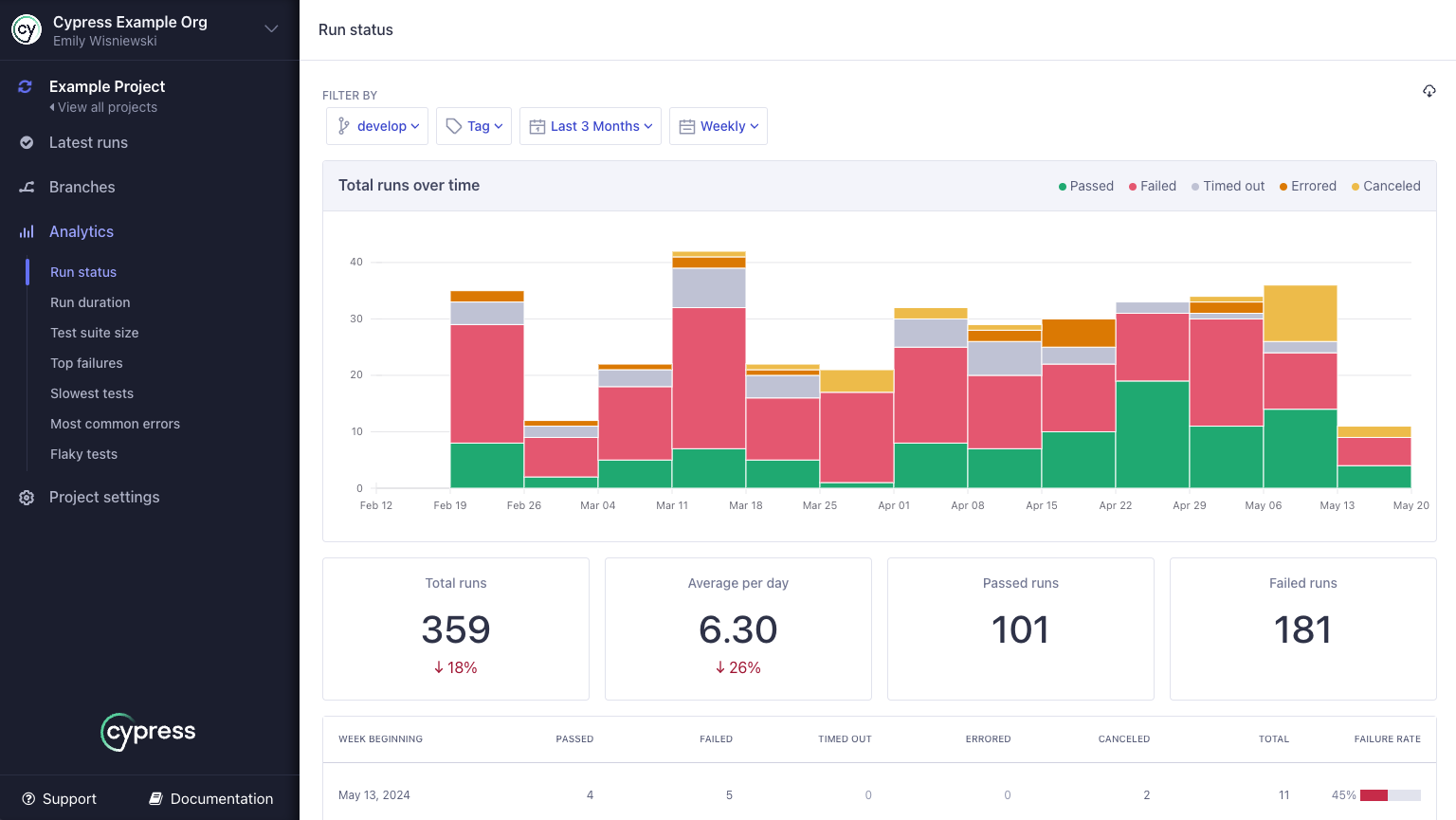
View each run's overview to compare past runs and analyze trends over time. You can spot changes in your setup that might introduce problematic trends, and identify unreliable tests with Flaky Test Management.
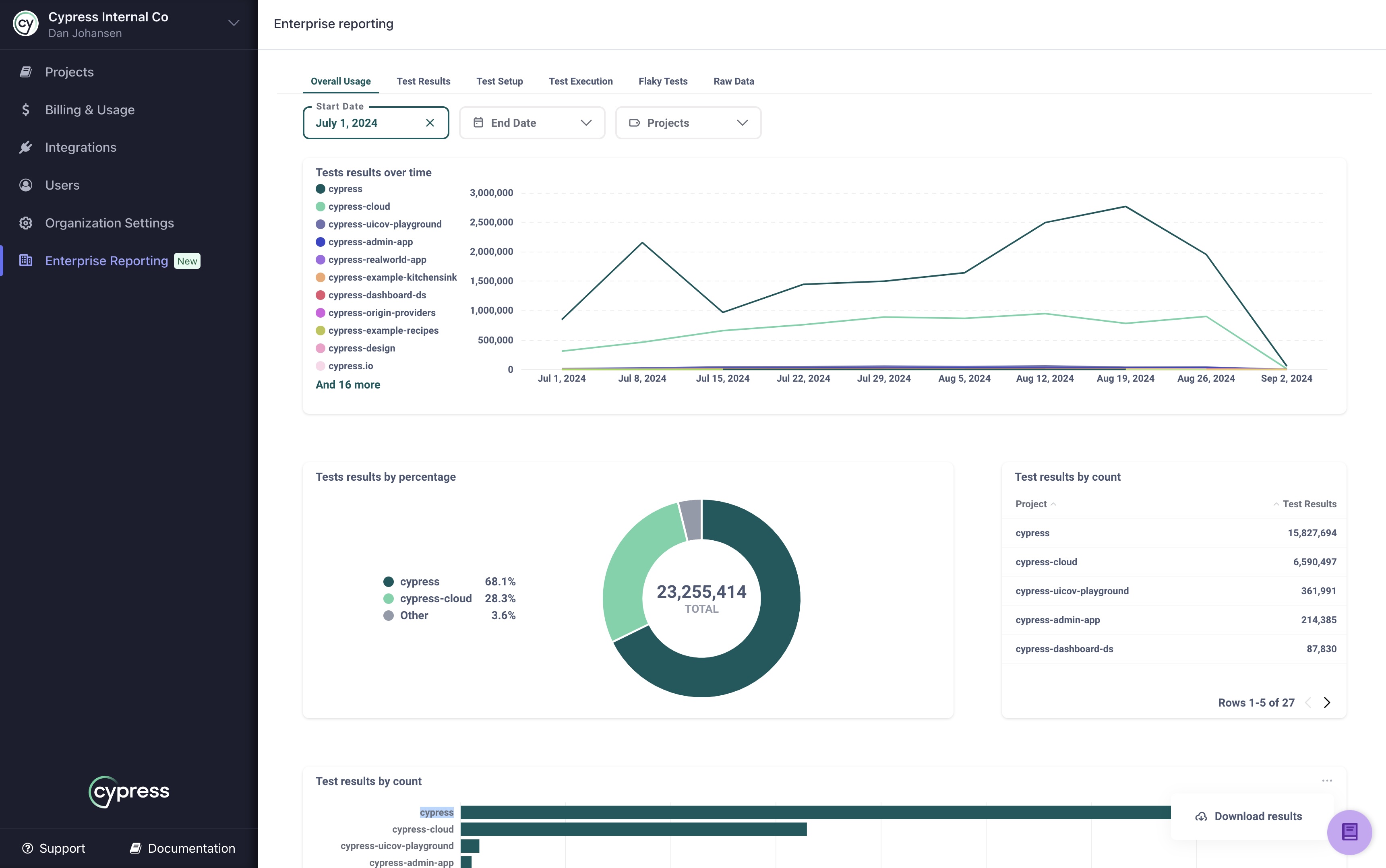
The analytics capabilities show test metrics over time, helping you determine the overall health of your test suite. You can see which tests are problematic, getting slower, or growing over time, and monitor test health at both the project and organization level. You can also retrieve your test data through Cypress Cloud APIs.
Reduce test time & CI costs
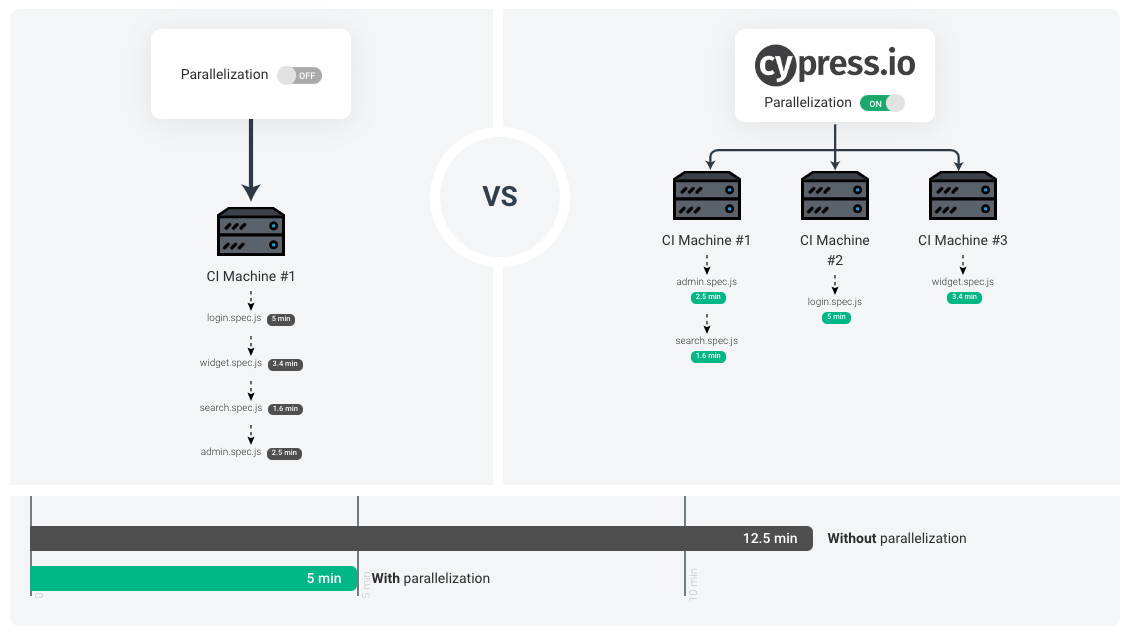
Smart Orchestration lets you run tests across multiple machines at the same time in your CI environment, while Cypress Cloud coordinates the runners and balances test loads with no setup required. To surface problems earlier, you can prioritize recently failed specs with Spec Prioritization, so they run sooner on their next run. To save time and resource usage, you can cancel a whole run on failure with Auto Cancellation, or cancel in-progress runs manually from Cypress Cloud when you need to.
Integrate with your favorite tools
Source control providers
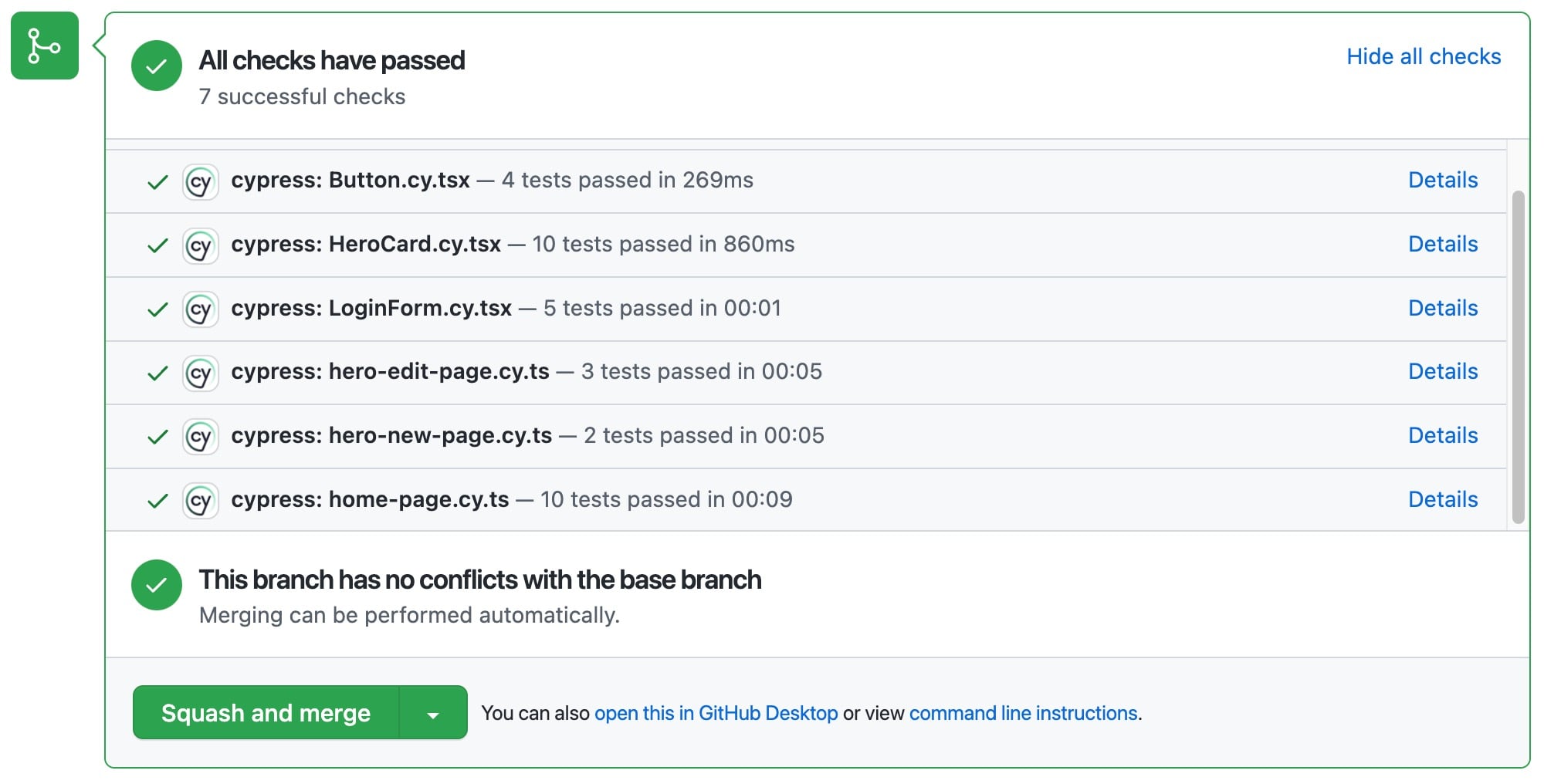
Cypress Cloud integrates with GitHub, GitLab, and Bitbucket to help keep failing code out of your main branch. Use status checks to block commits from merging until your Cypress tests are green, and surface test results directly in your pull requests with comments that include test run statistics, specific failure details, and deep links to results in Cypress Cloud for fast debugging.
Business and Enterprise plans also include secure integration with self-managed GitHub and GitLab instances.
Team communication
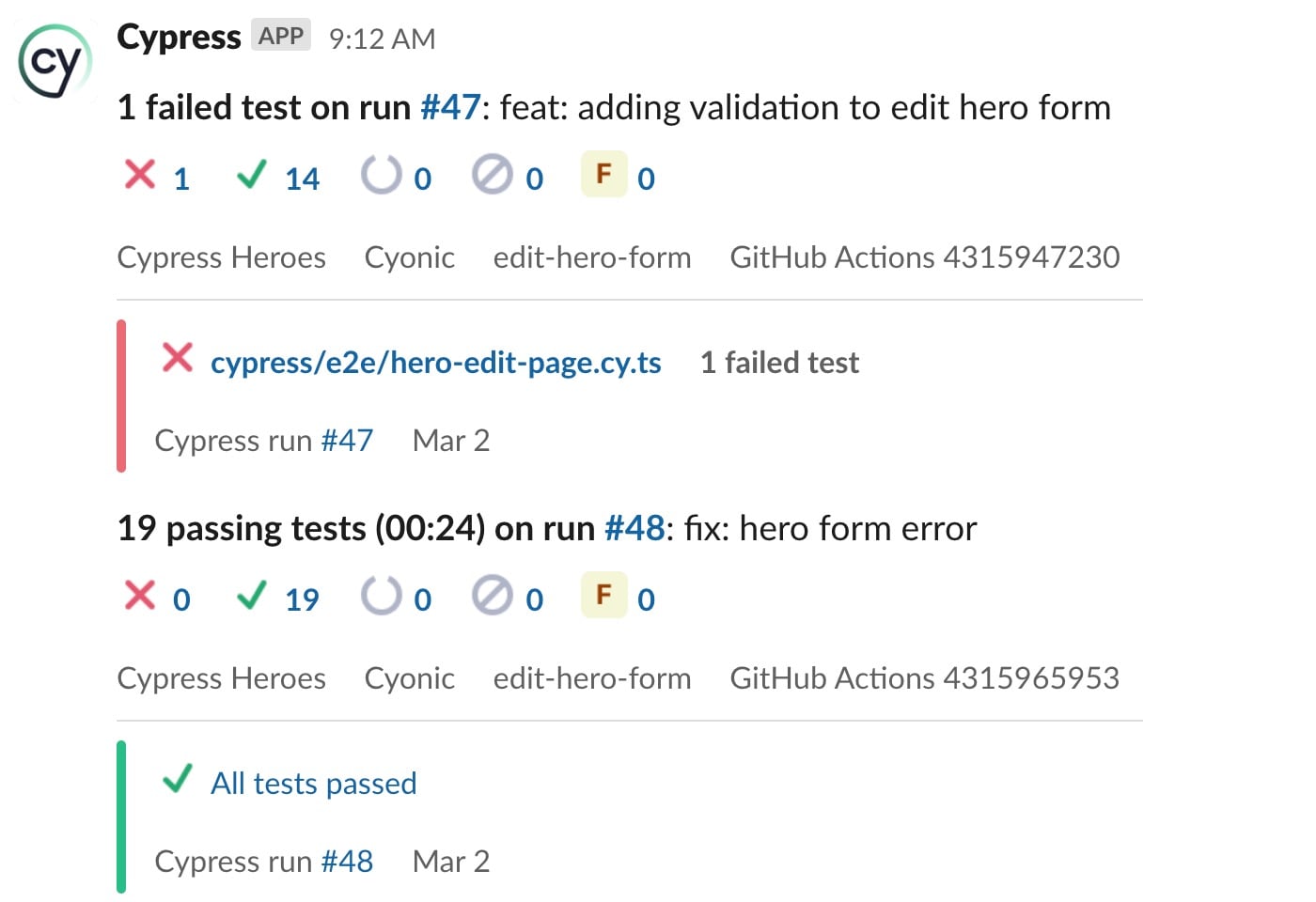
Get notified on test progress directly in your team's Slack or Microsoft Teams channels.
Issue management
Keep the whole team up to date with Jira integration. You can create bidirectionally linked Jira tickets directly from specific test failures.
AI coding assistants
Give your AI coding assistant and agents a direct window into your application's health and stability by connecting to the Cypress Cloud Model Context Protocol (MCP) server.
This closes the context gap between CI and your editor, so you remove the manual triage that slows testing down. Instead of pasting in context by hand, your AI tools can query run results, analyze stack traces, and audit flaky tests to diagnose issues inside your development loop. It works with Claude, Cursor, GitHub Copilot, and more.
Command line
Query your Cypress Cloud data from the terminal with the Cloud CLI. Check run status, read failing tests, and pull Test Replay timelines as JSON, so you can build custom tooling, script automation, or hand the same context to a terminal-based agent.
Connect the Cypress app to Cypress Cloud
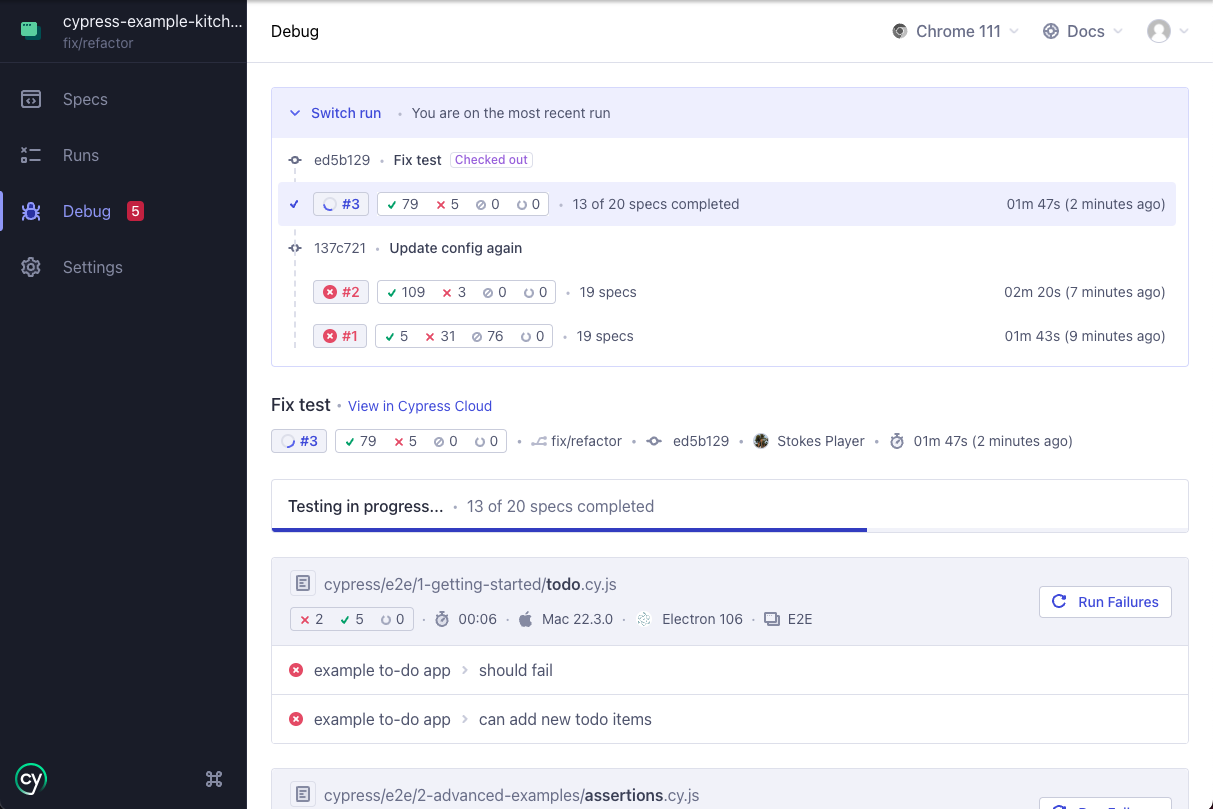
Log in to Cypress Cloud from the Cypress app to see your latest CI test results without switching tools. The app shows run history alongside your specs, notifies you when new tests fail in CI, and lets you re-run those failures locally and open Test Replay to debug them. See Open the Cypress app to connect and log in.
Flexible enterprise configuration and single sign-on
You can use our flexible administrative functions to configure Cypress Cloud the way your team works. Group projects into multiple organizations if you have a lot, check usage, and administer users and permissions.
We also provide SSO integration for teams on Business or Enterprise plans.
Example project
The Cypress Real World App (RWA) uses Cypress Cloud in CI to test over 300 test cases in parallel across 25 machines, multiple browsers, multiple device sizes, and multiple operating systems.
We have answered some common questions about Cypress Cloud in our FAQ.