React Component Testing
Cypress Component Testing currently supports React 18 and 19 with the following frameworks:
Tutorial
Visit the Getting Started Guide for a step-by-step tutorial on adding component testing to any project and how to write your first tests.
Installation
To get up and running with Cypress Component Testing in React, install Cypress into your project:
- npm
- Yarn
- pnpm
- Bun
npm install cypress --save-dev
yarn add cypress --dev
pnpm add --save-dev cypress
bun add --dev cypress
Open Cypress:
- npm
- Yarn
- pnpm
- Bun
npx cypress open
yarn cypress open
pnpm cypress open
bunx cypress open
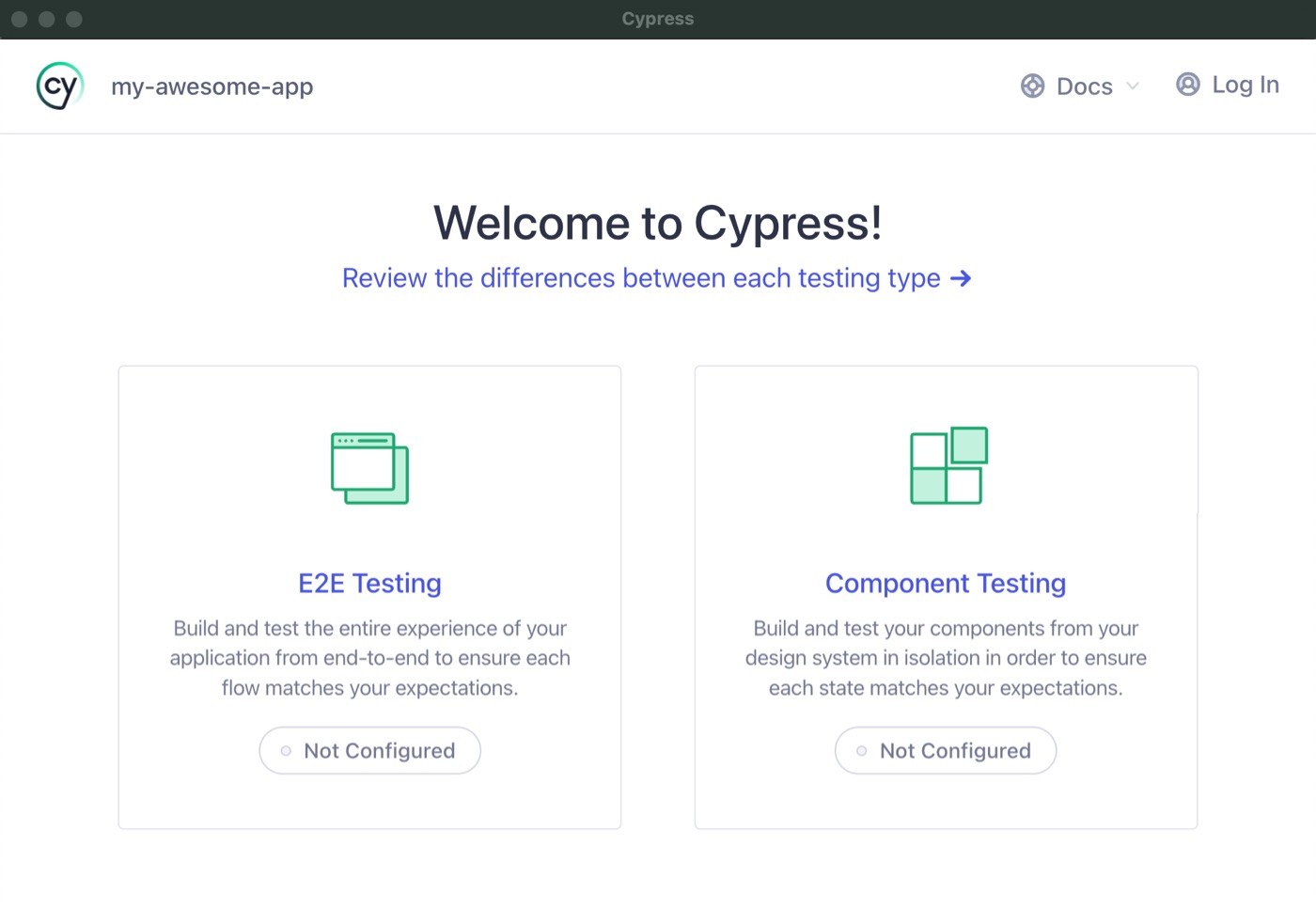
Choose Component Testing
The Cypress Launchpad will guide you through configuring your project.
For a step-by-step guide on how to create a component test, refer to the Getting Started guide.
For usage and examples, visit the React Examples guide.
Framework Configuration
Cypress Component Testing works out of the box with Vite, Next.js, and a custom Webpack config. Cypress will automatically detect one of these frameworks during setup and configure them properly.
For a full explanation of how the dev server and bundler work — including automatic config detection and override options — see Component Testing Configuration — Dev Server and Bundler.
The examples below are for quick reference.
React with Vite
Cypress Component Testing works with React apps that use Vite 8.x as the bundler.
Vite Configuration
- cypress.config.js
- cypress.config.ts
const { defineConfig } = require('cypress')
const customViteConfig = require('./customConfig')

module.exports = defineConfig({
  component: {
    devServer: {
      framework: 'react',
      bundler: 'vite',
      // optionally pass in vite config
      viteConfig: customViteConfig,
      // or a function - the result is merged with
      // any `vite.config` file that is detected
      viteConfig: async () => {
        // ... do things ...
        const modifiedConfig = await injectCustomConfig(baseConfig)
        return modifiedConfig
      },
    },
  },
})
import { defineConfig } from 'cypress'
import customViteConfig from './customConfig'

export default defineConfig({
  component: {
    devServer: {
      framework: 'react',
      bundler: 'vite',
      // optionally pass in vite config
      viteConfig: customViteConfig,
      // or a function - the result is merged with
      // any `vite.config` file that is detected
      viteConfig: async () => {
        // ... do things ...
        const modifiedConfig = await injectCustomConfig(baseConfig)
        return modifiedConfig
      },
    },
  },
})
Sample React Vite Apps
React with Webpack
Cypress Component Testing works with React apps that use Webpack 5+ as the bundler.
Required Packages
Install these packages in your project to run React component tests with Webpack:
| Package | Version | Purpose |
|---|---|---|
cypress | Latest | The Cypress App. Ships with the React mount adapter and the Webpack dev server |
react | 18 or 19 | The React library your components are built with |
react-dom | 18 or 19 | Renders your components into the DOM during a test |
webpack | 5 | Your app's bundler. Cypress compiles your specs with the Webpack config it detects in the project |
You do not need to install @cypress/react, @cypress/webpack-dev-server, or
webpack-dev-server separately. All three ship inside the cypress package, so
import { mount } from 'cypress/react' and bundler: 'webpack' work as soon as
Cypress is installed.
Webpack Configuration
- cypress.config.js
- cypress.config.ts
const { defineConfig } = require('cypress')
const webpackConfig = require('./webpack.config')

module.exports = defineConfig({
  component: {
    devServer: {
      framework: 'react',
      bundler: 'webpack',
      // optionally pass in webpack config
      webpackConfig,
      // or a function - the result is merged with any
      // webpack.config that is found
      webpackConfig: async () => {
        // ... do things ...
        const modifiedConfig = await injectCustomConfig(baseConfig)
        return modifiedConfig
      },
    },
  },
})
import { defineConfig } from 'cypress'
import webpackConfig from './webpack.config'

export default defineConfig({
  component: {
    devServer: {
      framework: 'react',
      bundler: 'webpack',
      // optionally pass in webpack config
      webpackConfig,
      // or a function - the result is merged with any
      // webpack.config that is found
      webpackConfig: async () => {
        // ... do things ...
        const modifiedConfig = await injectCustomConfig(baseConfig)
        return modifiedConfig
      },
    },
  },
})
If you don't provide a webpack config, Cypress will try to infer it. If Cypress
cannot do so, or you want to make modifications to your config, you can specify
it via the webpackConfig option.
Sample React Webpack Apps
Next.js
Cypress Component Testing works with Next.js 15 and 16.
Next.js Configuration
- cypress.config.js
- cypress.config.ts
const { defineConfig } = require('cypress')

module.exports = defineConfig({
  component: {
    devServer: {
      framework: 'next',
      bundler: 'webpack',
    },
  },
})
import { defineConfig } from 'cypress'

export default defineConfig({
  component: {
    devServer: {
      framework: 'next',
      bundler: 'webpack',
    },
  },
})
Next.js Caveats
There are some specific caveats to consider when testing Next.js Pages in component testing.
A page component could have additional logic in its getServerSideProps or
getStaticProps methods. These methods only run on the server, so they are not
available to run inside a component test. Trying to test a page in a component
test would result in the props being passed into the page to be undefined.
While you could pass in props directly to the page component in a component test, that would leave these server-side methods untested. However, an end-to-end test would execute and test a page entirely.
Because of this, we recommend using E2E Testing over Component Testing for Next.js pages and Component Testing for individual components in a Next.js app.