Angular Component Testing
Cypress Component Testing supports Angular ^21.0.0 and ^22.0.0.
Our testing harness, cypress/angular, requires @angular-devkit/build-angular to be installed in your project, even if your project is zoneless or is built with @angular/build.
As of Cypress 16.0.0, cypress/angular supports zoneless testing with no additional configuration. zone.js is no longer required. Zoneless is the default in Angular 21 and 22.
Tutorial
Visit the Getting Started Guide for a step-by-step tutorial on adding component testing to any project and how to write your first tests.
Installation
To get up and running with Cypress Component Testing in Angular, install Cypress into your project:
- npm
- Yarn
- pnpm
- Bun
npm install cypress --save-dev
yarn add cypress --dev
pnpm add --save-dev cypress
bun add --dev cypress
Open Cypress:
- npm
- Yarn
- pnpm
- Bun
npx cypress open
yarn cypress open
pnpm cypress open
bunx cypress open
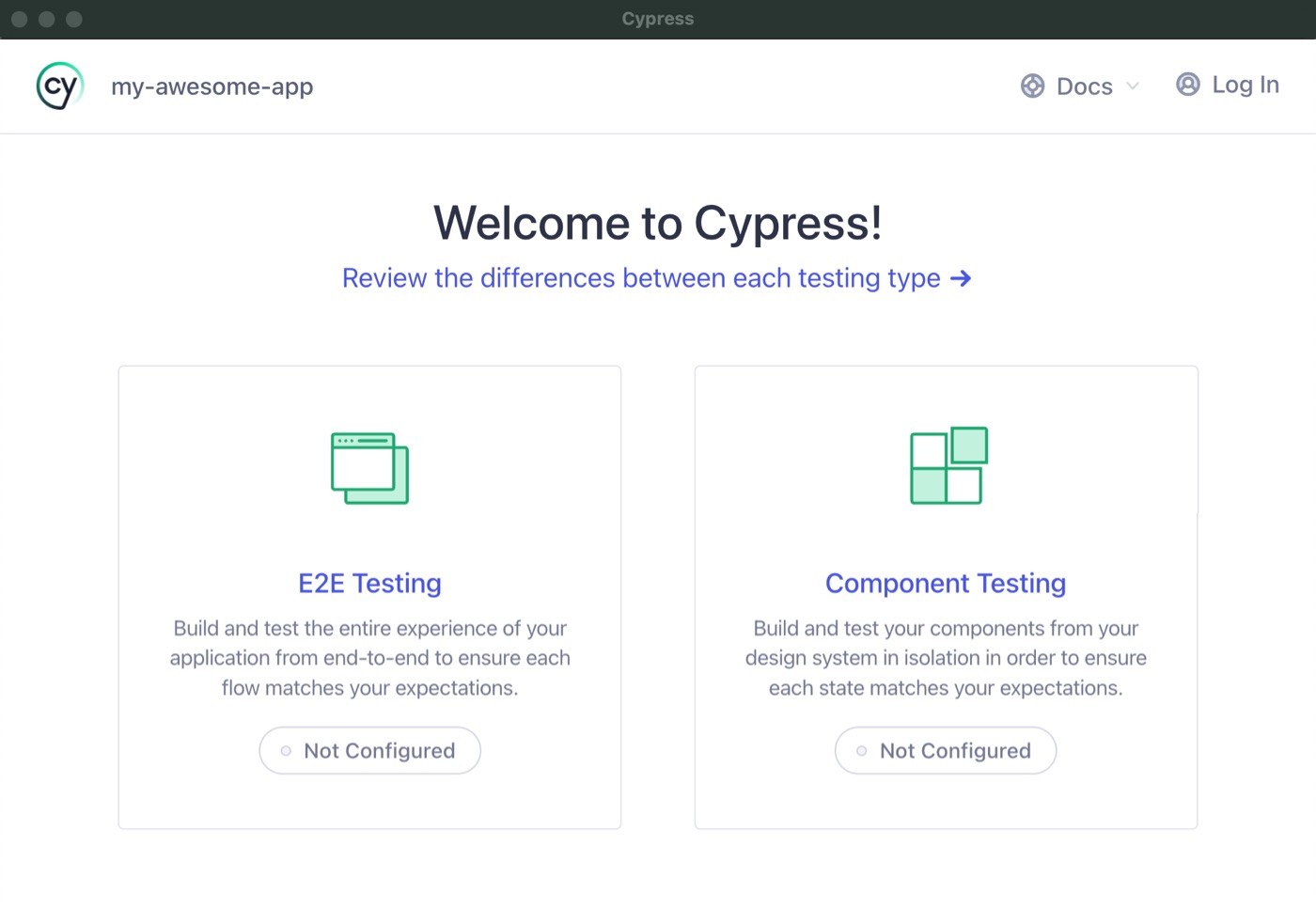
Choose Component Testing
The Cypress App will guide you through configuring your project.
For a step-by-step guide on how to create a component test, refer to the Getting Started guide.
For usage and examples, visit the Angular Examples guide.
Framework Configuration
Cypress Component Testing works out of the box with @angular/cli projects.
Cypress will automatically detect your project is Angular during setup and
configure it properly.
For a full explanation of how the dev server and bundler work — including automatic config detection and override options — see Component Testing Configuration — Dev Server and Bundler.
The examples below are for quick reference.
Angular CLI Configuration
- cypress.config.js
- cypress.config.ts
const { defineConfig } = require('cypress')

module.exports = defineConfig({
  component: {
    devServer: {
      framework: 'angular',
      bundler: 'webpack',
    },
    specPattern: '**/*.cy.ts',
  },
})
import { defineConfig } from 'cypress'

export default defineConfig({
  component: {
    devServer: {
      framework: 'angular',
      bundler: 'webpack',
    },
    specPattern: '**/*.cy.ts',
  },
})
Options API
You can also use the options API to provide your own project specific
configuration to your devServer. The devServer configuration receives an
options property:
import { defineConfig } from 'cypress'

export default {
  component: {
    devServer: {
      framework: 'angular',
      bundler: 'webpack',
      options: {
        projectConfig: {
          root: '',
          sourceRoot: 'apps/my-app',
          buildOptions: {
            outputPath: 'dist/my-app',
            index: 'apps/my-app/src/index.html',
            main: 'apps/my-app/src/main.ts',
            polyfills: 'apps/my-app/src/polyfills.ts',
            tsConfig: 'apps/my-app/tsconfig.app.json',
            inlineStyleLanguage: 'scss',
            assets: ['apps/my-app/src/favicon.ico', 'apps/my-app/src/assets'],
            styles: ['apps/my-app/src/styles.scss'],
            scripts: [],
            buildOptimizer: false,
            optimization: false,
            vendorChunk: true,
            extractLicenses: false,
            sourceMap: true,
            namedChunks: true,
          },
        },
      },
    },
  },
}
Sample Angular Apps
Styling
Cypress builds your component specs with the Angular build pipeline. When you do
not provide an options.projectConfig, Cypress reads the build options
(including assets, styles, and stylePreprocessorOptions) from the default
application project in your angular.json. When you do provide your own
projectConfig, it replaces the configuration Cypress detects
from angular.json, so any build options your styles rely on must be repeated
in your buildOptions. The two issues below are usually a result of this.
Sass @use / @import can't find a stylesheet
If your Sass resolves imports through paths configured in angular.json under
stylePreprocessorOptions.includePaths, you may see an error during component
testing like:
❌ Can't find stylesheet to import.
@use 'mixins'
This happens when a custom projectConfig omits those include paths. Add the
same stylePreprocessorOptions to your buildOptions so the Sass compiler can
resolve the imports:
- cypress.config.js
- cypress.config.ts
const { defineConfig } = require('cypress')

module.exports = defineConfig({
  component: {
    devServer: {
      framework: 'angular',
      bundler: 'webpack',
      options: {
        projectConfig: {
          root: '',
          sourceRoot: 'src',
          buildOptions: {
            styles: ['src/styles.scss'],
            stylePreprocessorOptions: {
              includePaths: ['src/styles'],
            },
          },
        },
      },
    },
    specPattern: '**/*.cy.ts',
  },
})
import { defineConfig } from 'cypress'

export default defineConfig({
  component: {
    devServer: {
      framework: 'angular',
      bundler: 'webpack',
      options: {
        projectConfig: {
          root: '',
          sourceRoot: 'src',
          buildOptions: {
            styles: ['src/styles.scss'],
            stylePreprocessorOptions: {
              includePaths: ['src/styles'],
            },
          },
        },
      },
    },
    specPattern: '**/*.cy.ts',
  },
})
Tailwind CSS v4 utility classes aren't applied
With Tailwind CSS v4, you may find that your own styles load correctly but
Tailwind utility classes such as bg-red-500 have no effect. The class is
present on the element in the DevTools inspector, but no rule is generated for
it. This is because Tailwind v4 generates utilities through its own build
plugin, which is not part of the Angular build pipeline Cypress uses to compile
your styles.
A reliable workaround is to precompile your Tailwind stylesheet into a plain CSS
file with the Tailwind CLI
and load that compiled file through buildOptions.styles.
Install the CLI:
- npm
- yarn
- pnpm
- bun
npm install -D @tailwindcss/cli
yarn add -D @tailwindcss/cli
pnpm add -D @tailwindcss/cli
bun add -d @tailwindcss/cli
Compile your stylesheet before opening or running Cypress, then point
buildOptions.styles at the compiled output:
{
  "scripts": {
    "build:ct-styles": "npx @tailwindcss/cli -i ./src/styles.scss -o ./cypress/support/compiled-styles.css",
    "cypress:open": "npm run build:ct-styles && cypress open --component",
    "cypress:run": "npm run build:ct-styles && cypress run --component"
  }
}
- cypress.config.js
- cypress.config.ts
const { defineConfig } = require('cypress')

module.exports = defineConfig({
  component: {
    devServer: {
      framework: 'angular',
      bundler: 'webpack',
      options: {
        projectConfig: {
          buildOptions: {
            styles: ['cypress/support/compiled-styles.css'],
          },
        },
      },
    },
    specPattern: '**/*.cy.ts',
  },
})
import { defineConfig } from 'cypress'

export default defineConfig({
  component: {
    devServer: {
      framework: 'angular',
      bundler: 'webpack',
      options: {
        projectConfig: {
          buildOptions: {
            styles: ['cypress/support/compiled-styles.css'],
          },
        },
      },
    },
    specPattern: '**/*.cy.ts',
  },
})