Limit tracked commands - allowedInteractionCommands
By default, UI Coverage marks an element as tested when it's targeted by one of a default set of Cypress interaction commands, such as click, type, and select. That default is right for most elements, but not all: a chart is really tested by a hover, not the plain click that happens to count, and a status banner you only ever assert against is never "interacted with" at all, so it never counts.
The allowedInteractionCommands configuration lets you decide, per element, exactly which commands count as coverage. You provide a CSS selector and the list of commands that should count for the elements it matches. For those elements, only the commands you list count, and every other command is ignored, even commands that normally count. This lets you both narrow coverage to a meaningful interaction (a data-visualization widget that must be hovered, not just clicked) and expand it to commands UI Coverage ignores by default (crediting an assert on a read-only element).
Why use allowedInteractionCommands?
- Require a meaningful interaction: For components where a plain
clickdoesn't prove the feature works, such as charts, drag-and-drop canvases, and custom widgets, restrict coverage to the command that actually exercises it, so a superficial interaction no longer marks the element tested. - Credit commands ignored by default: Count interactions UI Coverage doesn't track out of the box, such as an
asserton a read-only element, as coverage for the specific elements where that interaction is what matters. - Reduce noise in reports: Limit tracking to the interaction types that are relevant for a given element or component, so coverage reflects the interactions your team cares about.
For custom or third-party commands that should count as coverage everywhere rather than for specific elements, use additionalInteractionCommands instead. See Which option do I need? in the configuration overview.
Setting allowedInteractionCommands
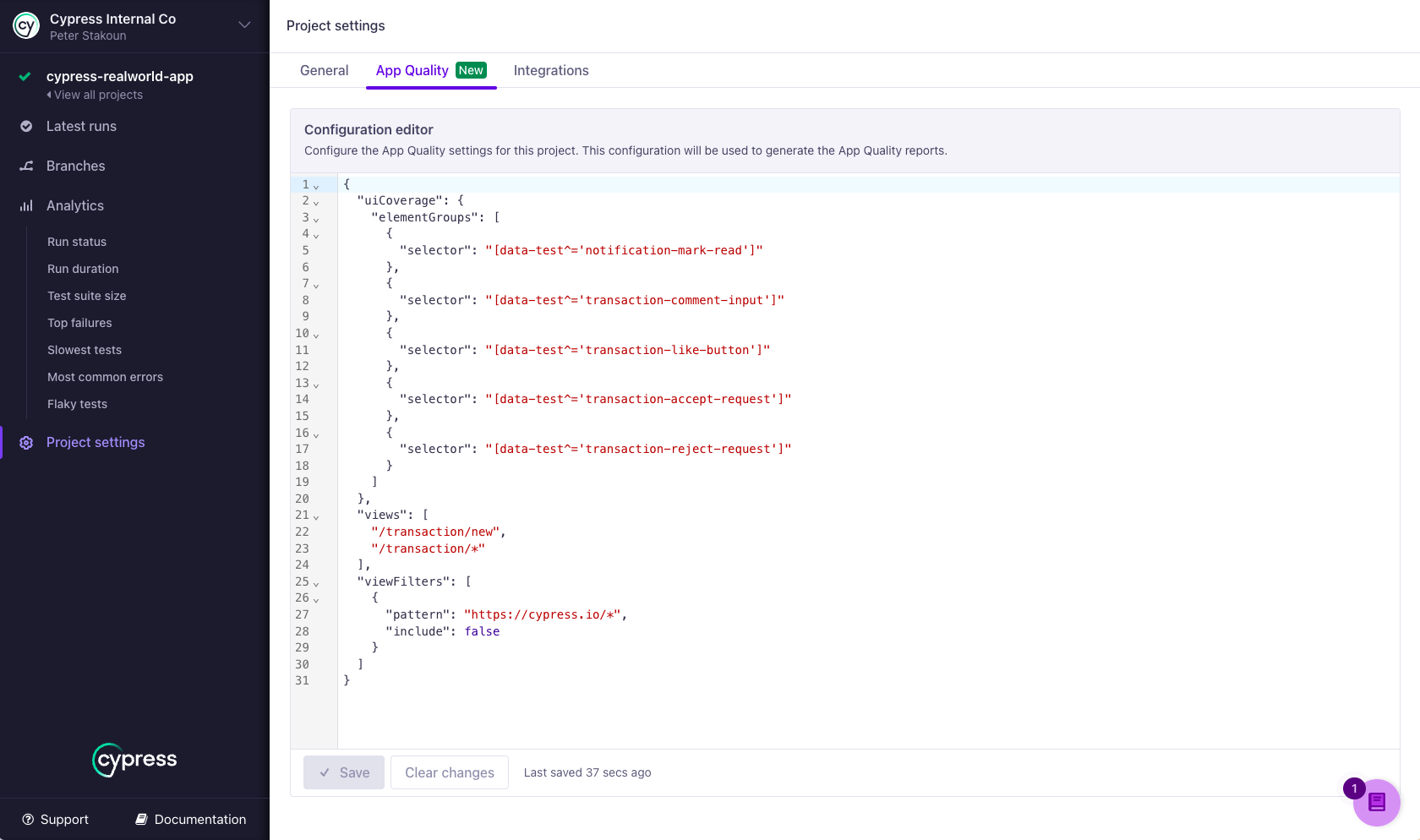
To add or edit allowedInteractionCommands, open the App Quality tab in your project settings in Cypress Cloud. allowedInteractionCommands is a UI Coverage–only option and is always nested under the uiCoverage key. See Setting configuration for details, including how to regenerate past reports with a new configuration without rerunning your tests.
Syntax
{
  "uiCoverage": {
    "allowedInteractionCommands": [
      {
        "selector": string,
        "commands": [string],
        "documentScope": [string],
        "comment": string
      }
    ]
  }
}
Options
The allowedInteractionCommands property accepts an array of objects, where each object defines a rule that limits the interaction commands counted as coverage for elements matching a selector.
| Option | Required | Default | Description |
|---|---|---|---|
selector | Required | A CSS selector that identifies the elements the rule applies to. Supports standard CSS selector syntax, including IDs, classes, attributes, and combinators. | |
commands | Required | An array of command names (strings) that count as coverage for elements matching the selector. Any command not in this list is ignored for those elements, including commands that would otherwise count by default. | |
documentScope | Optional | An ordered list of CSS selectors identifying the iframe or shadow DOM hosts that must contain the element, from the outermost document to the innermost. When set, the rule applies only to matching elements inside those nested documents. | |
comment | Optional | A note about why this rule exists, for your team's benefit. Comments appear only in the configuration itself. They have no effect on processing and are not displayed in reports. |
Validation rules
Cypress Cloud rejects a configuration when:
- Two rules have the same
selectorwith the samedocumentScope. - The same command name appears twice within a single rule's
commandsarray. - A
selectorordocumentScopeentry isn't valid CSS selector syntax. documentScopeis present but empty. Omit the property to match in any document.- A rule contains a property other than the four listed above.
An empty commands array ("commands": []) passes validation but makes matching
elements impossible to cover. In rare cases you may want this behavior, but to remove elements from
the report instead, use elementFilters
with include: false.
How rules are applied
Understanding the matching behavior is the key to using this option correctly:
- Elements that match no rule are unaffected. They keep the full default set of interaction commands, plus anything you've added with
additionalInteractionCommands. - Matching a rule replaces the defaults for that element. Once an element matches a rule, only the commands listed in that rule count as coverage for it. The default commands no longer apply. This is how the option both narrows coverage (a listed command like
clickstill counts, an unlisted default liketypeno longer does) and expands it (a listed non-default command likeassertnow counts). - Commands are combined across all matching rules. If an element matches more than one rule, the commands from every matching rule are allowed for it. Because rules are additive this way, a later rule can never remove a command an earlier rule granted. Favor a high degree of selector specificity so each element matches only the rule you intend.
- A custom command listed here doesn't need to be registered anywhere else. Normally a custom or plugin command (one that isn't a default command) only counts as an interaction if you add it to
additionalInteractionCommands. Naming it in a rule'scommandslist registers it as well, so a command likerealHoveris recognized here without also appearing inadditionalInteractionCommands. - Command names are case-sensitive. Each name in
commandsmust match the command exactly as it appears in your test code, and only commands that actually target a DOM element produce coverage.
Examples
Requiring a specific interaction for a component
Restrict coverage for a chart component to the command that meaningfully exercises it. Because matching the rule replaces the defaults, a plain click no longer marks the chart tested.
Config
{
  "uiCoverage": {
    "allowedInteractionCommands": [
      {
        "selector": "[data-cy='revenue-chart']",
        "commands": ["trigger"],
        "comment": "Only a hover (dispatched via trigger) proves the chart tooltip works"
      }
    ]
  }
}
Usage in tests
// Only `trigger` counts as coverage for the chart
cy.get('[data-cy="revenue-chart"]').trigger('mouseover') // ✓ Tracked
cy.get('[data-cy="revenue-chart"]').click() // ✗ Not tracked (a default command, now excluded)
Different rules for form elements
Apply distinct command sets to different kinds of form controls. Each control is credited only for the commands relevant to it.
Config
{
  "uiCoverage": {
    "allowedInteractionCommands": [
      {
        "selector": "input[type='text'], textarea",
        "commands": ["type", "clear"]
      },
      {
        "selector": "select",
        "commands": ["select"]
      },
      {
        "selector": "input[type='checkbox'], input[type='radio']",
        "commands": ["check", "uncheck"]
      }
    ]
  }
}
Usage in tests
// Text inputs: only `type` and `clear` count
cy.get('[data-cy="username"]').type('john_doe') // ✓ Tracked
cy.get('[data-cy="username"]').clear() // ✓ Tracked
cy.get('[data-cy="username"]').focus() // ✗ Not tracked (a default command, now excluded)

// Select elements: only `select` counts
cy.get('[data-cy="country"]').select('US') // ✓ Tracked
cy.get('[data-cy="country"]').click() // ✗ Not tracked (a default command, now excluded)

// Checkboxes/radios: only `check` and `uncheck` count
cy.get('[data-cy="agree-terms"]').check() // ✓ Tracked
cy.get('[data-cy="agree-terms"]').click() // ✗ Not tracked (a default command, now excluded)
Counting third-party commands for specific elements
Commands from a plugin such as cypress-real-events aren't tracked by default. Listing a command here both scopes it to the matching elements and registers it as a recognized interaction, so you don't also need to add it to additionalInteractionCommands. Reach for allowedInteractionCommands when the command should only count for certain elements; if you want a plugin command counted on every element, add it to additionalInteractionCommands instead.
Config
{
  "uiCoverage": {
    "allowedInteractionCommands": [
      {
        "selector": "[data-cy='tooltip-trigger']",
        "commands": ["realHover"]
      }
    ]
  }
}
Usage in tests
// `realHover` counts as coverage for the tooltip trigger
cy.get('[data-cy="tooltip-trigger"]').realHover() // ✓ Tracked
cy.get('[data-cy="tooltip-trigger"]').click() // ✗ Not tracked (a default command, now excluded)
Like custom commands added with additionalInteractionCommands, a command listed here only produces coverage if it logs a snapshot that references the subject element. Built-in Cypress commands and well-behaved plugins do this automatically. See custom commands for details.
Counting assertions as coverage
Some elements are only ever validated, never interacted with, such as a read-only status badge or a computed total. Assertions don't count as coverage by default, but you can list assert to credit them. Remember that once a rule matches, only the commands you list count, so include any other commands you also want to accept.
Config
{
  "uiCoverage": {
    "allowedInteractionCommands": [
      {
        "selector": "[data-cy='order-total']",
        "commands": ["assert"]
      }
    ]
  }
}
Usage in tests
// Assertions against the element count as coverage
cy.get('[data-cy="order-total"]').should('be.visible') // ✓ Tracked
cy.get('[data-cy="order-total"]').click() // ✗ Not tracked (`assert` is the only allowed command)
Scoping rules to shadow DOM
When a rule should apply only to elements inside a specific shadow DOM host, use documentScope to scope the selector to that document context.
Config
{
  "uiCoverage": {
    "allowedInteractionCommands": [
      {
        "selector": "button",
        "commands": ["click"],
        "documentScope": ["custom-component"]
      }
    ]
  }
}
HTML
<body>
  <button id="root-button">Root Button</button>
  <custom-component>
    #shadow-root
    <button id="shadow-button">Shadow Button</button>
  </custom-component>
</body>
Usage in tests
// Root button: unaffected, keeps all default interaction commands
cy.get('#root-button').click() // ✓ Tracked
cy.get('#root-button').focus() // ✓ Tracked

// Shadow DOM button: matches the rule, so only `click` counts
cy.get('custom-component').shadow().find('#shadow-button').click() // ✓ Tracked
cy.get('custom-component').shadow().find('#shadow-button').focus() // ✗ Not tracked
Scoping rules to iframes
documentScope also scopes a rule to elements inside a specific iframe. List one selector per nested document, ordered from the outermost document to the innermost.
Config
{
  "uiCoverage": {
    "allowedInteractionCommands": [
      {
        "selector": "input",
        "commands": ["type", "clear"],
        "documentScope": ["#embedded-form"]
      }
    ]
  }
}
HTML
<body>
  <input id="root-input" />
  <iframe id="embedded-form" src="http://www.foo.com">
    <html>
      <body>
        <input id="embedded-input" />
      </body>
    </html>
  </iframe>
</body>
Usage in tests
// Root input: unaffected, keeps all default interaction commands
cy.get('#root-input').type('text') // ✓ Tracked
cy.get('#root-input').focus() // ✓ Tracked

// Embedded input: matches the rule, so only `type` and `clear` count
cy.get('#embedded-form').then(($iframe) => {
  cy.wrap($iframe.contents().find('#embedded-input')).type('text') // ✓ Tracked
  cy.wrap($iframe.contents().find('#embedded-input')).focus() // ✗ Not tracked
})
See also
additionalInteractionCommands: count a custom or plugin command as an interaction on every element, not just specific ones.- Interactivity: the default set of commands UI Coverage tracks and how interactive elements are found.
- Custom commands: writing commands that log a snapshot so UI Coverage can attribute them.
- Configuration overview: where to set configuration and regenerate reports.
- UI Coverage FAQ: common questions about interaction commands and troubleshooting.